


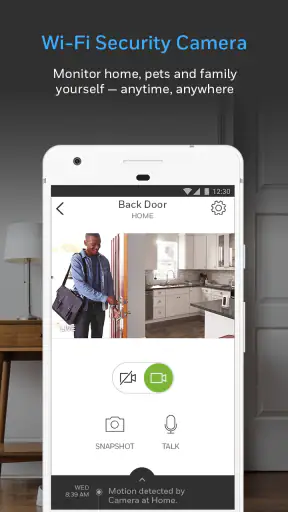
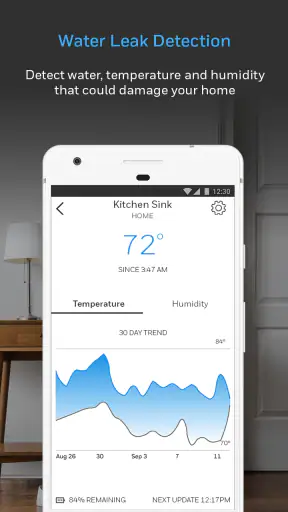
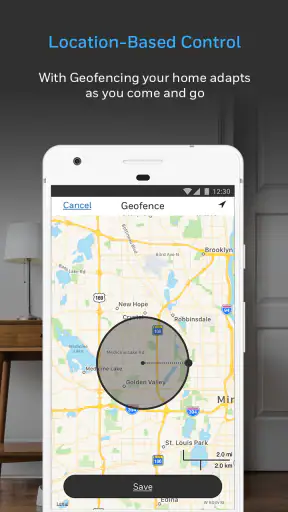
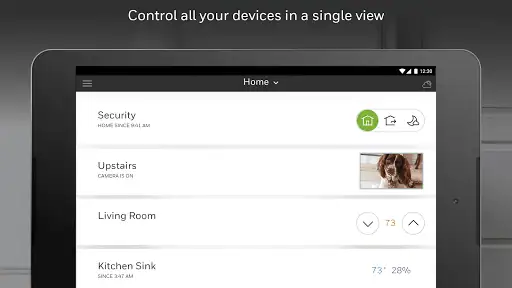
I approached Resideo - Smart Home as a practical home-control app rather than something to open for entertainment. Its job is to make compatible Resideo equipment easier to manage from a phone, and that changes how I judge it: the important questions are whether it fits your existing setup, whether everyday controls feel clear, and whether moving away from it would create unnecessary work. Resideo Technologies, Inc. develops the app, which sits in the lifestyle category and is available free of charge for everyone.
The app is formerly known as Honeywell Home, so that name change matters if you are searching for it on an older device, reading previous instructions, or trying to connect equipment that was set up under the earlier branding. I found that the biggest decision is not simply whether the app looks useful. It is whether your home already relies on equipment within its ecosystem. For someone starting from scratch, a broader smart-home platform may be easier to compare. For someone already using compatible Resideo products, this is the more logical place to begin.
What I would check before choosing it
My first recommendation is to identify the exact equipment you want to control before installing anything. A smart-home app can appear polished and still be the wrong choice if your thermostat, security hardware, or other household device is not supported in the way you expect. The app should be judged as the control layer for a particular product family, not as a universal replacement for every smart device in the house.
I would also decide whether you want one focused app or one central dashboard for many brands. Resideo - Smart Home makes the most sense when the main task is managing Resideo equipment. If your home contains products from several unrelated manufacturers, you may prefer a platform designed around wider cross-brand organization. That route can reduce app switching, although it may also mean giving up some manufacturer-specific controls or depending on integrations that are less direct.
Another useful criterion is who will use the app day to day. A technically confident owner may be comfortable checking device status, adjusting settings, and learning the layout. A household with several people needs something more forgiving: clear controls, predictable behavior, and an easy way for others to understand what has changed. I would test the app with the person who actually adjusts the home most often, not only with the person who installed the equipment.
The current release is version 6.21.0, and the app requires at least operating system version 10. That requirement is worth checking before you plan a setup for an older phone or tablet. It is also useful to keep the app updated when you depend on it for routine household management, because compatibility and account behavior can be affected by changes on either the mobile or device side.
The everyday workflow I found most useful
A realistic example is a household where one person leaves early, another works from home, and everyone wants the home to feel comfortable without repeatedly walking over to a wall control. Instead of treating the app as a novelty, I would use it as a quick check before leaving, a way to make a small adjustment during the day, and a convenient control point when returning home. The value is not in opening the app constantly; it is in having a remote option when the physical control is inconvenient.
That workflow also reveals an important habit: make small changes deliberately and then close the app. I would avoid repeatedly tapping a control because a connection or device response seems slow. With connected equipment, repeated commands can create uncertainty about which instruction took effect. A better routine is to make one adjustment, wait for the state to update, and then verify the result before trying something else.
I would give the same advice to anyone sharing access with family members. Agree on what the main controls mean and who should change more sensitive settings. A household can create confusion when one person treats the app as a simple remote while another uses it to alter the underlying behavior of the equipment. The app is most useful when it supports a clear household routine instead of becoming another source of conflicting instructions.
Where the focused approach works well
The strongest part of the experience is the direct relationship between the app and the Resideo ecosystem. When your equipment belongs to that family, staying with the manufacturer’s own app avoids the uncertainty of building a setup around several layers of compatibility. I prefer that approach when dependable access to the original device controls matters more than having every brand visible in one place.
This is also a sensible option for people who do not want to assemble a complicated smart-home system. A dedicated app can feel less intimidating than a large automation platform filled with hubs, routines, scenes, and third-party connections. If your goal is simply to manage the equipment you already own, a focused tool is easier to justify than a broader system you may never fully use.
The free price lowers the barrier to trying it, especially for an existing owner deciding whether mobile control is worth adding to a household routine. I would still separate the cost of the app from the cost of the equipment it controls. Installing the application does not turn ordinary household hardware into a fully flexible smart-home system, so the real value depends on what you already have and what functions your setup supports.
Its audience is substantial: the app has passed one million installs, with an average rating of 3.6 from roughly 33,000 ratings. I read that as a sign of a useful but not universally smooth experience. The rating is neither a reason to dismiss it nor a guarantee that every setup will behave identically. Connected-home apps are especially sensitive to device models, account history, network conditions, and how many products a household has connected.
Small habits that make the app less frustrating
One non-obvious improvement is to treat the first setup as an inventory exercise. Before changing anything, write down which household devices you expect to see and what each person calls them. Names such as “upstairs,” “office,” or “main room” are easier to use than leaving several similar devices with indistinguishable labels. This matters most when you are tired, away from home, or asking another family member to make a change.
A second useful habit is to establish a baseline. After connecting a device, check its normal state at a calm moment and note how the app represents that state. Later, you can tell the difference between a genuine change in the home and a control that has simply not refreshed in the way you expected. This is more reliable than assuming that the last screen you saw always represents the current physical situation.
Third, I would avoid using the app as the only way to operate important household equipment. Keep the physical controls usable and make sure other residents know the basic manual option. A phone app is convenient, but a smart-home routine should not leave everyone helpless if a phone is unavailable, an account needs attention, or the connection is temporarily awkward. That is not a criticism unique to Resideo; it is a sensible rule for connected equipment in general.
Where another category may be a better fit
I would look beyond Resideo - Smart Home if your priority is controlling many brands from one place. A broad smart-home hub or platform may be more convenient when your home combines equipment from different manufacturers and you want shared routines or a single overview. The trade-off is that broader systems can introduce extra setup, and their support for a particular device may not expose every manufacturer-specific option.
I would also consider a different approach if you are selecting new equipment rather than managing an existing installation. In that situation, the app should be only one part of the decision. Compare the devices, the control methods, the account experience, and how comfortable you are remaining within one ecosystem. Choosing the app first can lead to buying hardware that is less suitable for your home simply because the mobile interface looked familiar.
For a person who only wants local, physical control, this app may be unnecessary. If you rarely adjust settings remotely and do not care about checking the home from a phone, adding an account and learning another interface may not repay the effort. The free download removes the financial objection, but it does not remove the time involved in setup or the possibility of confusion between mobile and physical controls.
It may also be a poor fit for households that expect advanced automation across unrelated products. A dedicated manufacturer app is usually strongest at managing its own ecosystem. If your ideal setup involves coordinating lighting, entertainment, sensors, appliances, and equipment from several brands, start by studying the central platform you want to use, then confirm whether your Resideo hardware fits into it satisfactorily. Do not assume that installing this app alone will create that wider system.
What switching really involves
Moving from a manufacturer-focused app to a broader alternative is not only a matter of downloading another application. You may need to identify devices again, recreate household names, teach other users a new layout, and decide which controls should remain in the original app. If your current Resideo setup is stable and your main needs are already covered, switching can create more friction than benefit.
The opposite is also true. If you are constantly jumping between apps, forgetting where a setting lives, or asking family members to use different control methods, consolidating may be worth the effort. I would make a list of the actions you perform most often and compare those actions rather than comparing screenshots. The best platform is the one that makes those specific tasks clearer, not necessarily the one with the longest feature list.
Before changing systems, I would take screenshots or notes of your current device names and preferred settings. I would also choose a quiet time for the transition rather than doing it just before leaving home or during a busy morning. Afterward, test the core actions from each phone that needs access. This simple preparation reduces the chance that a household member discovers a problem when they are trying to make an urgent adjustment.
How the app feels as a long-term choice
The app’s main strength is specialization, but specialization can feel restrictive once your needs expand. I like it for a home built around compatible Resideo equipment and for owners who want a straightforward relationship between their devices and their phone. I am less enthusiastic about it as the center of a mixed-brand smart home, where the manufacturer’s boundaries may become more noticeable over time.
The review count is around 13,000, and the overall rating suggests that the experience deserves realistic expectations rather than blind confidence. I would not use the rating alone to decide. Instead, I would install it when I already own compatible hardware, follow the setup carefully, and judge whether the controls fit my actual routine. That is a more useful test than expecting a store score to predict every household’s result.
For privacy-conscious users, I would recommend reading the app’s current permissions and account information during installation and deciding whether the convenience matches the amount of connected control you want. I would apply that check to any smart-home app, including this one. The important question is not whether mobile control sounds modern; it is whether you are comfortable making the app part of how your home is managed.
My recommendation for different kinds of users
I recommend Resideo - Smart Home to someone who already owns compatible Resideo equipment and wants a free mobile control option without immediately building a larger smart-home platform. It is especially reasonable for a household that values direct manufacturer support and prefers learning one focused app instead of combining several services.
I would recommend caution to anyone buying new hardware solely because they expect this app to manage an entire home. Start with the equipment and the daily tasks, then decide whether the Resideo ecosystem matches your long-term plans. If cross-brand control is your top priority, investigate a broader alternative first. If simple, direct management of existing Resideo devices is what you need, the focused route is more sensible.
The age rating is Everyone, and the app has been available since June 19, 2014, so it is an established product rather than a brand-new experiment. That history is reassuring in one sense, but it also means expectations should be practical: established does not mean flawless, and a mature app can still feel more useful to one equipment setup than another.
My final view is straightforward: choose it for ecosystem fit, not for the promise of universal smart-home control. The free installation makes testing easy, and the app can become a convenient part of a daily routine when your Resideo devices are already the foundation of the home. I would skip it when you want one broad dashboard for unrelated brands or when physical controls already meet your needs. For the right owner, it is a sensible companion; for everyone else, the cost of switching later may be a stronger reason to compare alternatives first.


